
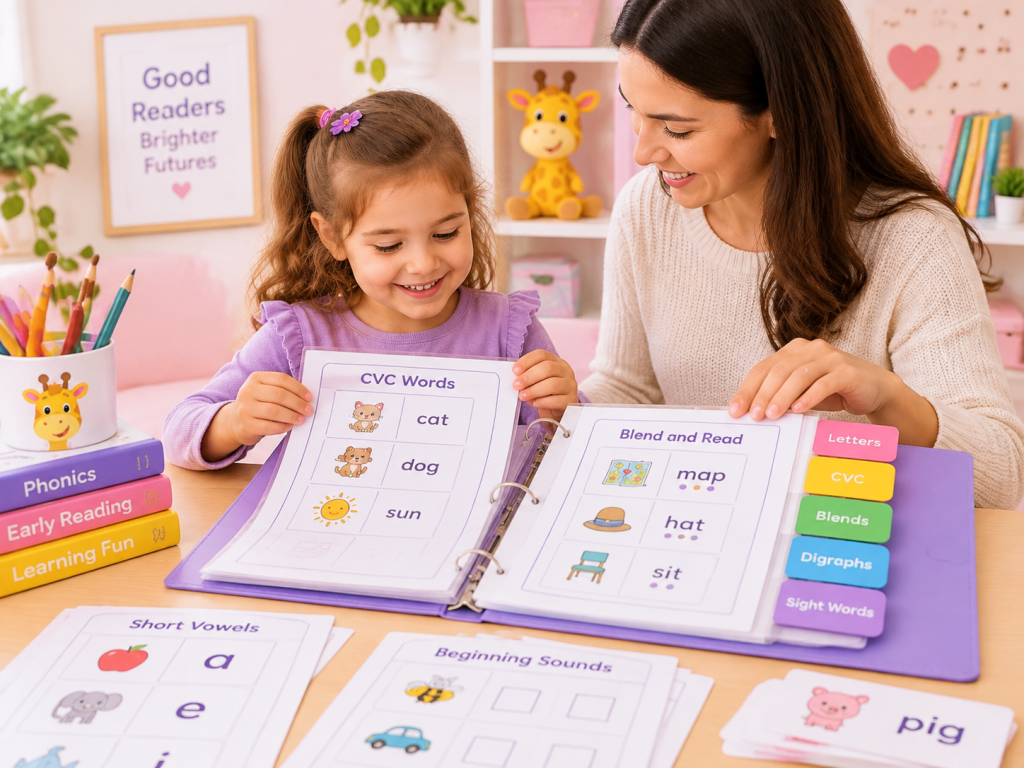
A phonics worksheet binder should make tomorrow’s practice easier to choose, not simply hold more paper. Once printable worksheets begin to accumulate, the real problem is usually not finding another page. It is knowing what is being used now, what needs another look later, what is worth keeping as a master, and what can leave the binder.
For parents, homeschool families, and Preschool through 1st Grade teachers, a simple system can solve that without turning worksheet storage into another project. The approach below keeps active practice separate from review and reusable copies, while still making it easy to find worksheets by skill or grade.
If you are still building the collection itself, the main printable phonics worksheets library is organized by grade and skill. This guide focuses on what happens after those pages have been downloaded or printed: where they belong, when they should move, and how to avoid printing near-duplicates because the original cannot be found.
A Simple Four-Part System for a Phonics Worksheet Binder
The most useful first division is not short vowels, blends, or grade level. It is Current, Review, Master Copies, and Completed. These sections answer a more immediate planning question: what is supposed to happen to this page?
A worksheet may move through more than one of these sections. A new page can begin in Current, move to Review after the skill becomes more secure, remain available as a clean master, and leave Completed once the finished work no longer helps with planning.
Current should stay small
A Kindergarten learner working on short a might have one CVC matching sheet, one blending activity using words such as cat, map, bag, and one simple spelling task in Current. That is enough to show what the present focus actually is.
A Preschool learner may instead have letter recognition, letter formation, or beginning-sound work. A 1st Grade learner may have a page on blends, digraphs, or a long-vowel pattern already being taught.
The important distinction is that Current is not a waiting room for every worksheet you might use. Once it becomes a thick stack of possibilities, it stops helping with planning.
Review gives finished skills somewhere to return
A worksheet does not need to stay in Current forever, but “finished once” should not automatically mean “finished for good.” Review gives you a place for skills that are no longer new but still deserve another check.
After several short i activities, for example, one representative page might move out of Current while another sound or pattern becomes the main focus. Later, the learner can meet short i again through fresh words, quick spelling, a short game, or a controlled reading line.
That change of format matters. If a child already remembers the layout of a worksheet, repeating the same page may tell you less than trying the same phonics pattern in a different task. The site’s phonics games can be useful here when you want to review the same taught skill without simply adding another worksheet.
Master Copies and Completed work have different purposes
A clean master belongs in the binder because it may be useful again. If a worksheet has an answer key, keep the key with the master or in another adult-access area rather than among student-facing Current pages.
Completed work should meet a different test. A dated sheet may be worth keeping because it shows a repeated error, gives you a useful before-and-after comparison, or suggests that a skill should return to Review. Once the page stops changing a teaching or planning decision, it does not need to occupy the active binder.
Organize the Master Library by Skill or Grade
The four sections above track the status of working pages. Skill and grade solve a different problem: how to find a reusable worksheet again.
That distinction keeps the binder from becoming confusing. Current, Review, and Completed can stay near the front. The larger Master Copies collection can then use skill tabs, grade tabs, or both depending on who shares it.
Skill-first works well for one learner
For a home or single-learner binder, skill is usually the more useful first index. Labels such as Letter Sounds, CVC Words, Long Vowels, Blends, and Digraphs tell you what a page actually practices.
A learner may still need CVC review while beginning selected digraph work, so a grade label alone may not describe the collection very well. Skill tabs also make gaps easier to notice. If the CVC section already has matching, blending, and spelling options but the Digraphs section has only one page, you can see exactly where another resource might add value.
Grade-first can be faster for a shared classroom collection
A classroom managing several groups may work more smoothly with Preschool, Kindergarten, and 1st Grade as the top-level divisions, followed by skill tabs. Grade gets the teacher into the correct area quickly; skill identifies the actual task.
The grade label should still be treated as an organizational shortcut rather than a rule about what a child must be doing. If a learner needs an earlier skill reviewed, use the page that fits the actual teaching need.
The categories become clearer with real worksheet examples
EnglishForKiz uses different worksheet libraries for different learning stages. Preschool pages focus on alphabet and letter-sound foundations; Kindergarten moves into CVC words and short vowels; 1st Grade adds patterns such as blends, digraphs, Magic E, and long vowels.
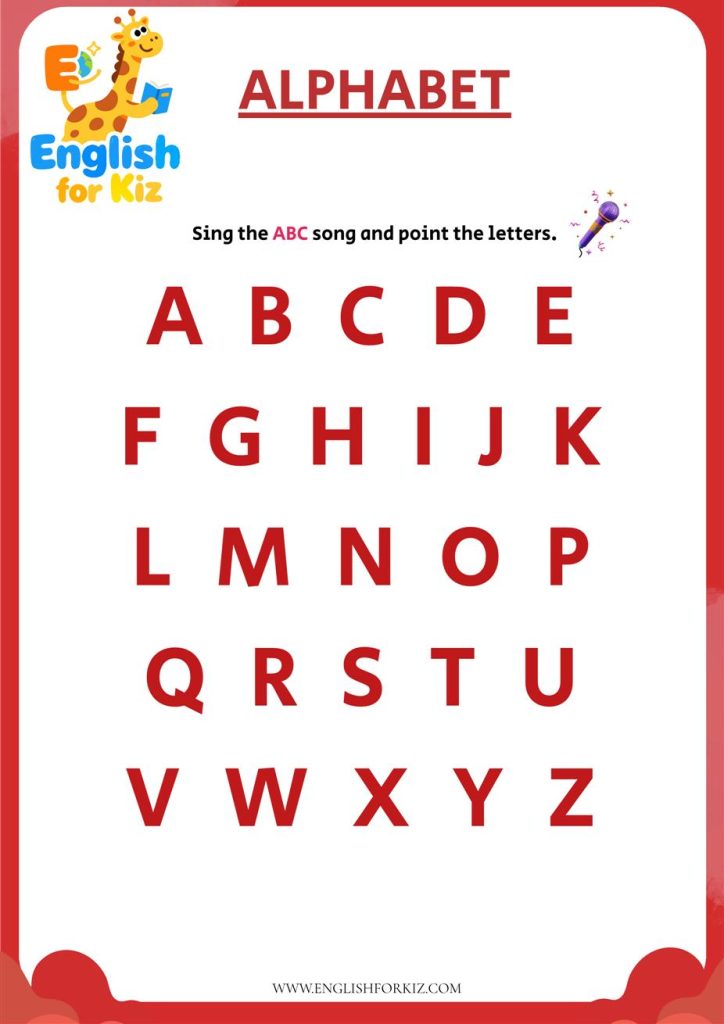
Preschool: Letter and Alphabet Practice
Pages for tracing, recognition, letter sounds, and beginning sounds fit naturally under broad tabs such as Letter Sounds or Alphabet Review.
Browse Preschool Worksheets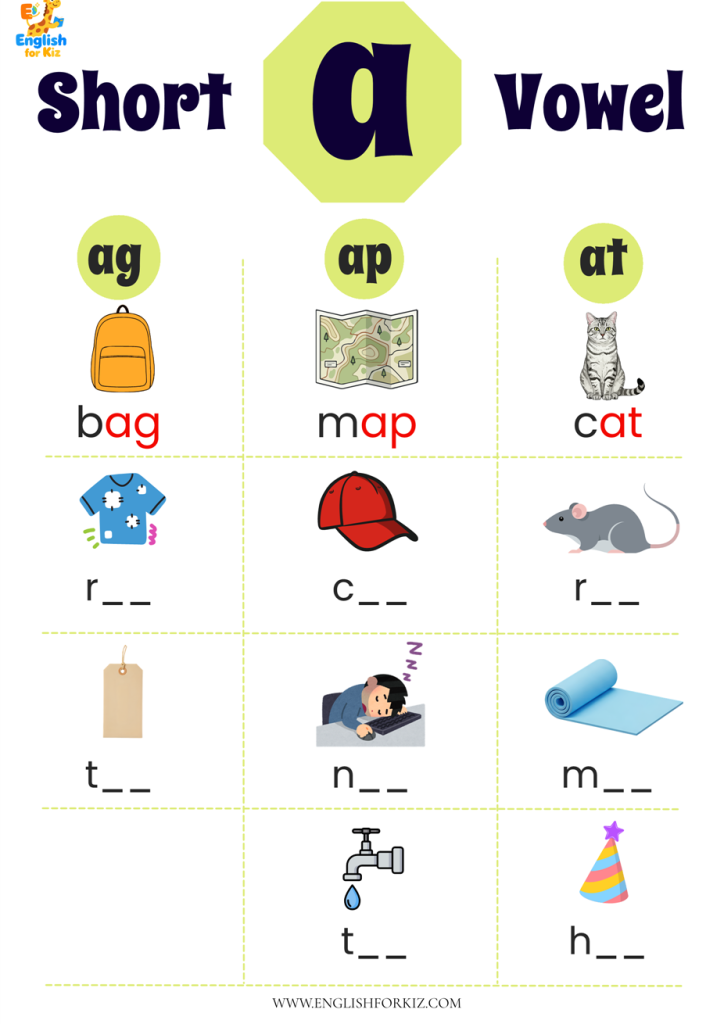
Kindergarten: CVC and Short Vowels
File these under CVC Words or Short Vowels, then let individual working copies move between Current and Review as needed.
Browse Kindergarten Worksheets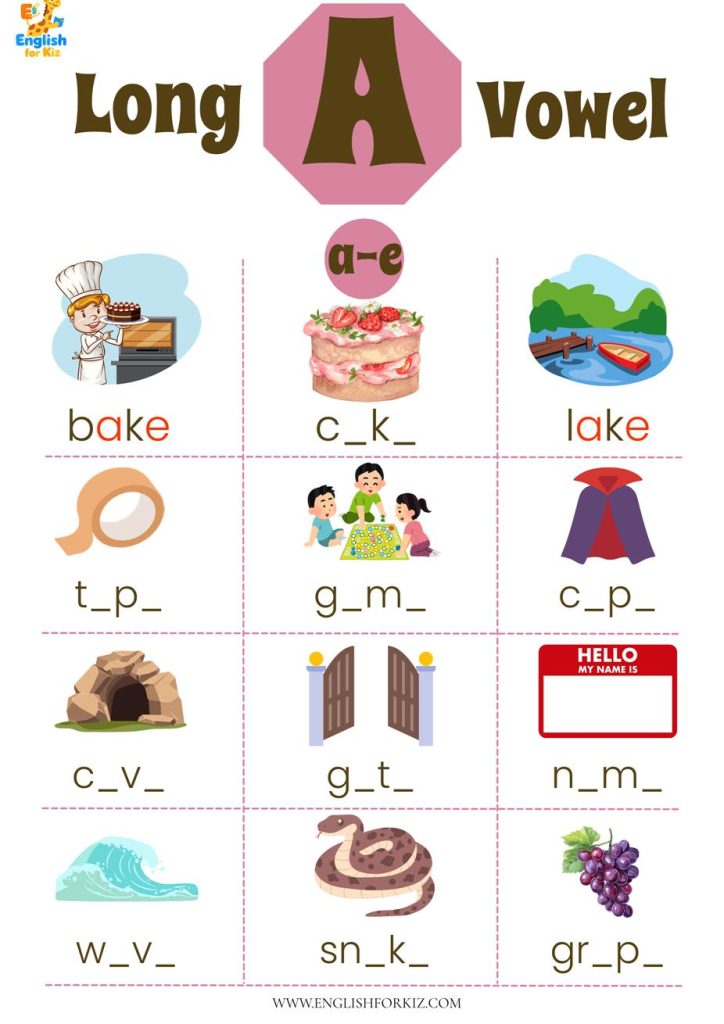
1st Grade: Later Phonics Patterns
Blends, Digraphs, and Long Vowels become useful separate sections once enough pages exist to make those divisions worth maintaining.
Browse 1st Grade WorksheetsIf the difficulty is not where a worksheet belongs but which phonics skill should come first, that is a sequencing question rather than a storage question. The separate guide on what kids should practice first with printable phonics worksheets covers that decision without forcing the binder itself to become a curriculum map.
Keep Paper Tabs and Digital Files Consistent
A physical binder can be perfectly organized while the downloads folder remains a mess. If the binder says “CVC Words” but the computer contains files named worksheet-final.pdf, worksheet-final-2.pdf, and new-worksheet.pdf, duplicate printing is still easy.
The simplest fix is to use the same language in both places. If the physical tab says CVC Words, include CVC in the filename. If a worksheet belongs under Digraphs, make that visible before the file is opened.
Broad tabs are usually more useful than perfect categorization
There is rarely a reason to create a permanent divider for every short vowel, word family, consonant blend, worksheet type, and teaching week. A broad CVC Words section can always gain smaller short a, short e, or short i markers later if the collection becomes large enough to need them.
The same applies to Blends and Digraphs. A category earns its place when it makes retrieval faster. If deciding where to file a worksheet takes longer than finding one, the system has become too detailed.
Mixed-skill worksheets still need one primary home
A page can contain more than one phonics feature. Words such as ship, shop, fish, and dish include short vowels, but if the teaching target is sh, Digraphs is the useful filing location.
Likewise, flag, clap, slip, and plug contain familiar vowel patterns, but a worksheet designed to practice the initial consonant combination belongs under Blends. One predictable home is more useful than several duplicate copies filed in different places.
Use filenames that help you recognize the page later
The filename does not need to become a detailed database record. It only needs enough information to make a future search useful.
Useful examples:
CVC-short-a-word-match.pdf
Digraph-sh-reading-practice.pdf
Long-a-magic-e-spelling_v2.pdf
Add a version or date-added label only when it genuinely distinguishes similar files. Avoid giving the same source PDF a new date every time it is printed, because that can create the duplicates the naming system is meant to prevent.
Simple local notes such as intro, practice, or challenge can also help if they have a clear meaning in your own system. They should remain planning labels rather than being treated as universal grade or difficulty standards.
A Weekly Reset Keeps the Binder Useful
Even a good binder eventually becomes cluttered if pages only enter and never leave. A brief weekly reset is enough to keep the system working.
The useful question is not simply whether every blank on a worksheet was completed. Look at what happened during practice. Did the learner still need direct teaching? Was the skill easier with fresh examples? Did the completed page reveal an error worth checking again?
Moving to Review does not mean declaring mastery
Look for less prompting and at least some success with fresh examples. After short a practice, a learner might read familiar worksheet words and then blend a new word such as jam, rag, or van without relying on a memorized answer.
That does not need to become a permanent mastery label. It simply suggests the skill may no longer need the main teaching slot and can be checked again after another area receives attention.
Review also does not have to mean another worksheet. A short activity from the phonics games library can check the same sound or spelling pattern in a different format. Once the pattern is secure enough to appear in connected text, the decodable readers library gives the learner somewhere to apply it beyond isolated words.
If you want the binder to fit into a complete Monday-to-Friday practice rhythm, see the weekly phonics worksheet routine. That article handles lesson timing; this binder system is mainly about keeping the materials easy to retrieve and reuse.
Home and Classroom Binders Need Different Levels of Detail
The same four-status system can work in both settings, but the amount of paper and the retrieval method should change. A home binder usually follows one learner, while a classroom collection may need to serve several groups quickly.
For home and homeschool use
Keep Current and Review near the front and intentionally small. Master Copies can sit behind broad skill tabs, while Completed work is cleared once older pages stop helping with planning.
A simple week might involve one focused CVC sheet, a short midweek word check, and a later review with new examples. If the learner still needs heavy prompting, keep the same skill active but change the words or task rather than immediately moving to an unrelated page.
If you want more guidance on making a page do real reading work rather than becoming isolated seatwork, the guide to using phonics worksheets without busywork explains how to connect listening, blending, writing, and reading around one clear target.
For teachers and small groups
Classroom access needs to be faster. Grade or group dividers can sit before skill tabs, and prepared pages can use short working labels such as “K–CVC,” “K–Review,” or “1st–Digraphs.”
Answer keys, teacher notes, and clean masters are better kept away from student-facing copies. That keeps the front of the binder easier to scan during a lesson and reduces the chance that reference material is handed out or written on.
The common problems are usually signs to simplify
Too many categories: collapse narrow tabs into broader teaching skills. Too many duplicates: keep pages that provide genuinely different practice—such as matching, blending, spelling, or reading—rather than several versions of essentially the same task.
No place for retesting: use Review so a finished worksheet does not disappear permanently. Completed is overflowing: move long-term records elsewhere and leave only recent work that still affects a teaching decision.
Refill the Binder Only When There Is a Clear Gap
An empty Current section is not automatically a reason to print more worksheets. Look first at recent work, the Review section, and existing Master Copies.
If short-a CVC reading is still effortful, the useful next page should change what the learner needs to do, not simply change the artwork. Someone who has already completed picture matching may benefit more from blending, spelling, or reading fresh short-a words.
If the skill is becoming easier and survives a later review, there may be no reason to add another worksheet for the same purpose. A game, flashcard activity, or short reader may provide a better next check. The broader phonics resources library groups those different practice formats in one place.
If the real question has shifted from “What is missing from this binder?” to “Which skill should we teach next?”, use a structured learning sequence rather than inventing another set of tabs. The step-by-step phonics programs organize learning from Preschool onward, while the worksheet practice-order guide focuses specifically on choosing the next printable skill.
Keep the roles separate: the binder helps you manage what you already have. The worksheet library helps you fill a specific practice gap. The programs and practice-order guide help when the larger question is sequencing.
Choose the Next Worksheet After the Binder Reset
Once Current reflects the learner’s real practice need and duplicate pages have been removed, add only the worksheet that fills the next clear gap. Browse by grade or skill, choose the practice format you actually need, and let the next weekly reset decide whether that page stays Current, moves to Review, or earns a place among the reusable masters.
Continue With the Question You Actually Need to Solve
Phonics Worksheet Binder FAQ
Should a phonics binder be organized by grade or skill?
For one learner, skill is usually the more useful main index because it makes the actual practice target easy to retrieve. For a classroom collection shared across several levels, grade first and skill second can be faster. Current, Review, and Completed can remain separate because those sections track practice status rather than subject categories.
How many worksheets should stay in Current?
There is no fixed number. Current should stay small enough that every page has a realistic role in the present week or teaching cycle. Worksheets kept only because they might be useful later belong with the reusable master collection instead.
How can I avoid printing the same phonics worksheet twice?
Use searchable filenames that include the main skill, keep one clearly marked master, and check both the digital skill folder and the physical Master Copies section before printing. Add version or date-added information only when it helps distinguish genuinely different files.
How long should completed worksheets stay in the binder?
Keep them while they still help compare recent attempts, identify a repeated error, or plan a future review. When a finished page no longer changes a teaching or record-keeping decision, it no longer needs space in the active binder.